How to create
How to Create an Order - Aquantuo Style
How to Create an Order (and Skip the Fee)
Follow these five simple steps to ensure your package is processed free of charge.
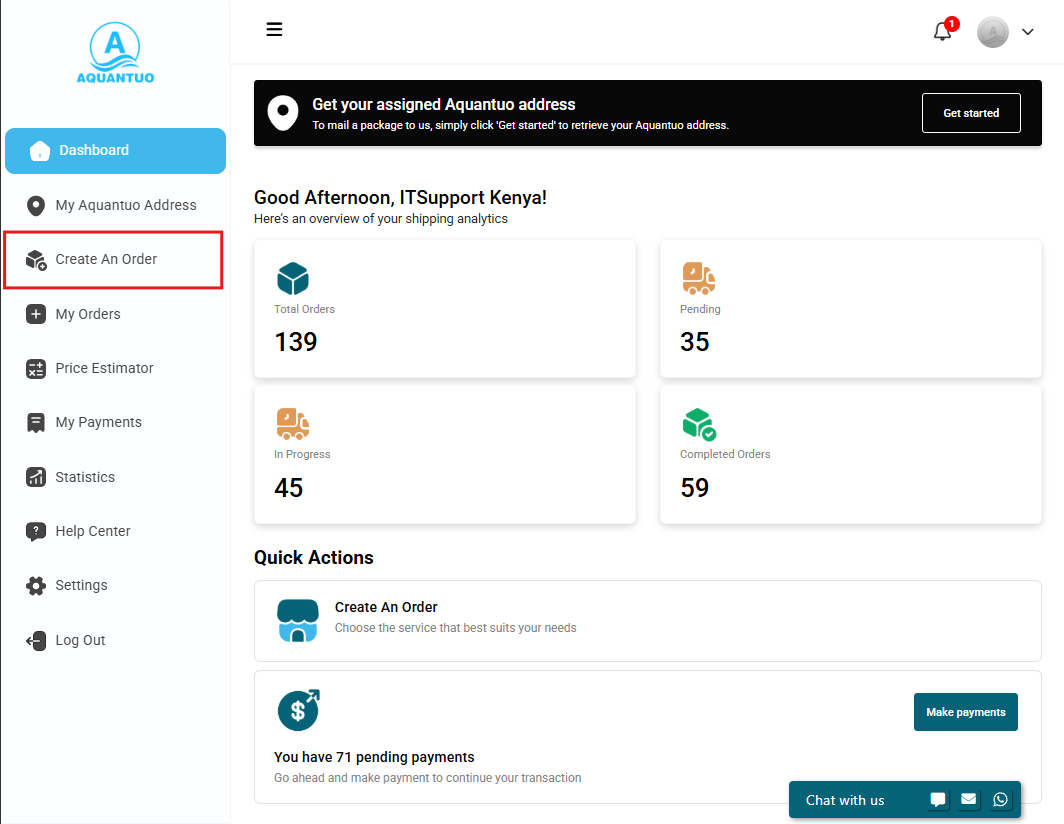
2
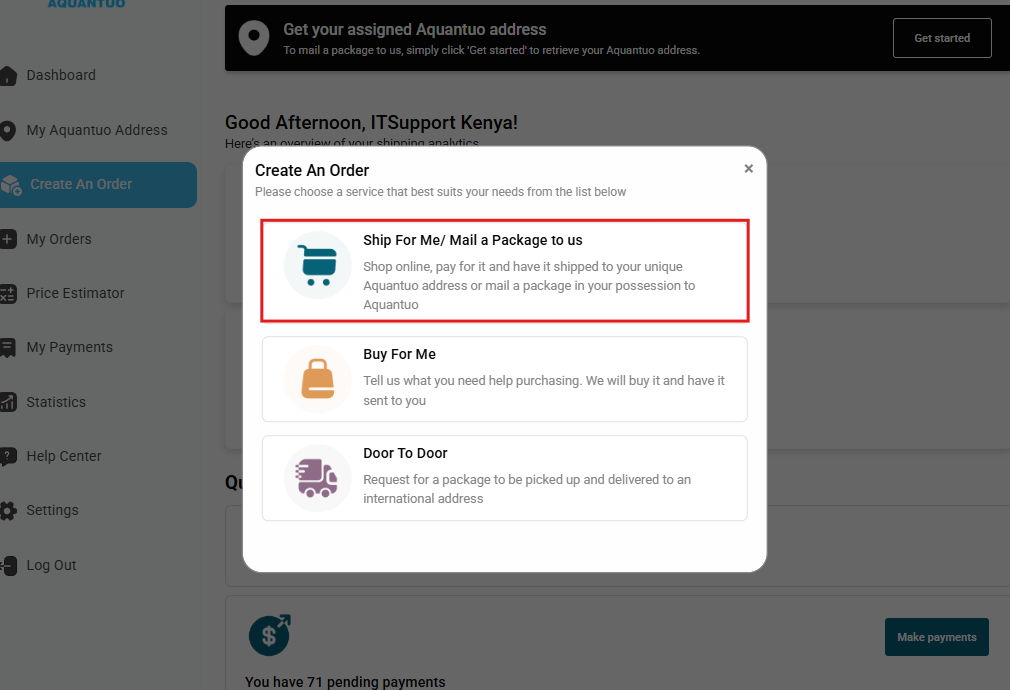
Choose Your Service
Select the e-commerce service you are using:
- Ship for Me
- Buy for Me
- Door-to-Door
3
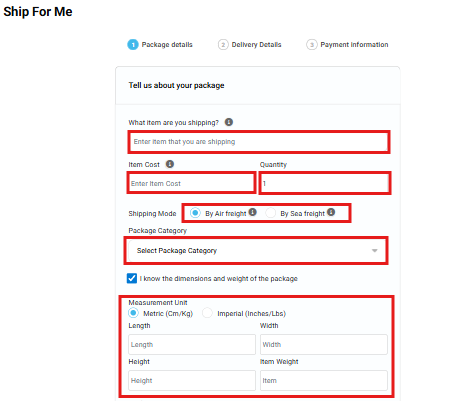
Add Item Details
Provide the following:
- Item description, cost & quantity
- Package category
- Shipping mode: Air or Sea
Tip: If dimensions are unknown, enter 1 × 1 × 1.
4
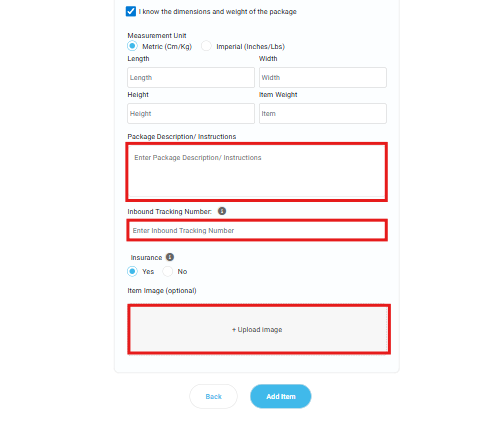
Tracking & Documentation
- Enter a valid inbound tracking number
- Select your insurance option
- Upload store image or screenshot (Amazon, eBay, etc.)
- Upload proof of purchase
Shipping multiple items? Use Add Item to include everything in one order.
5
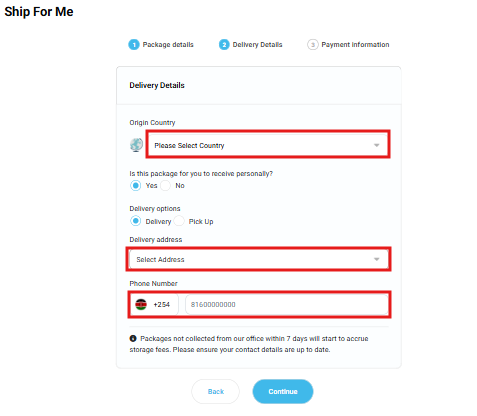
Sender & Delivery Information
- Add sender or pickup details
- Enter recipient name, phone number & full address
6
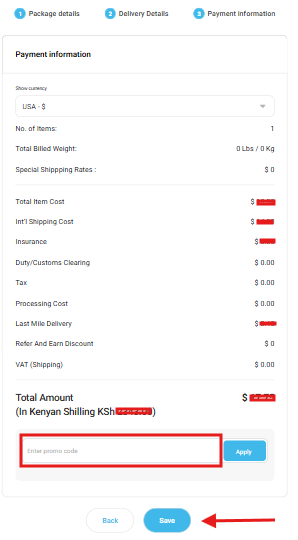
Review & Submit
- Review payment details
- Apply promo code (if available)
- Click Submit
Important: Orders must be created before the package arrives at our international warehouse to avoid the order creation fee.